
A static site is fast, cheap, and has no backend. Which is great until someone asks for a comment box, at which point “no backend” stops being a feature and starts being a problem you have to outsource.
Giscus outsources it to GitHub. Every comment thread is a GitHub Discussion in your own repo. No database, no ads, readers sign in with the GitHub account they already have, and moderation happens in a tab you already pay attention to. You are, functionally, skinning GitHub Discussions and bolting it to the bottom of a page.
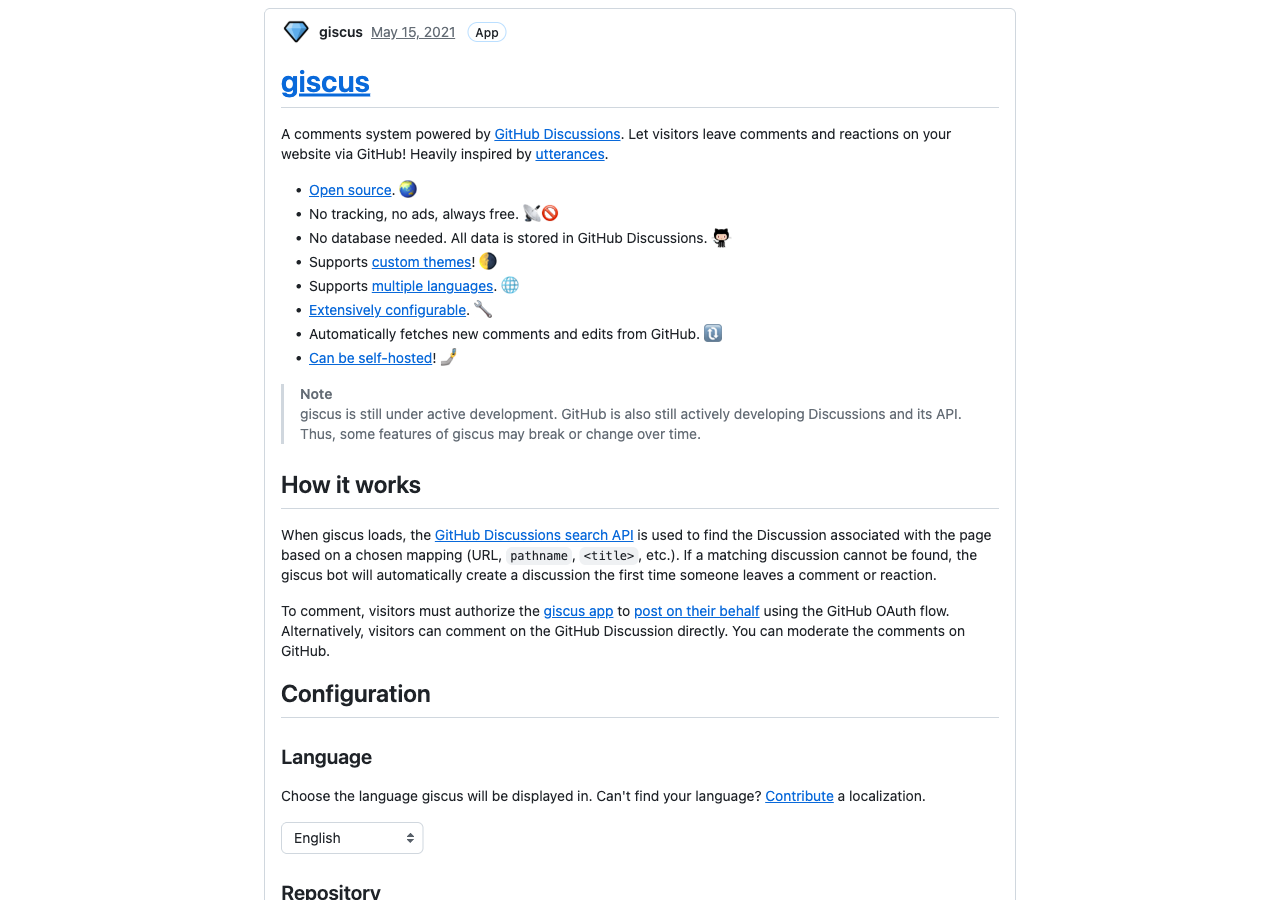
I wired it into a site running the zer0-mistakes theme. The widget appeared. Then it didn’t appear, twice, for two completely different reasons, both of which were silent, and both of which were me. This is the part where it broke — kept, because the breakage is the actual lesson.
How it works, in one diagram
your page ──▶ giscus client.js ──▶ GitHub Discussions API
              (injects an iframe)    (your repo's discussions)
You drop a <script> tag where comments should go. client.js injects an iframe, maps the page to a Discussion (by URL pathname, in this setup), and reads and writes through the Discussions API. The first comment on a new page auto-creates its thread.
You’ll know it worked when you open a post, scroll to the bottom, and see a “Comments” heading with a GitHub-flavored box under it — not an empty gap where the box was supposed to be.
The theme already ships the snippet (mostly)
Here is the thing the giscus.app generator does not tell you: if your theme is any good, you don’t paste its output anywhere. zer0-mistakes ships content/giscus.html and pulls it into the post layout. The include is the snippet, with everything hardcoded except three config-driven values:
<script src="https://giscus.app/client.js"
        data-repo="{{ site.repository }}"
        data-repo-id="{{ site.giscus.data-repo-id }}"
        data-category-id="{{ site.giscus.data-category-id }}"
        data-mapping="pathname"
        data-strict="1"
        data-reactions-enabled="1"
        data-emit-metadata="0"
        data-input-position="top"
        data-theme="preferred_color_scheme"
        data-lang="en"
        crossorigin="anonymous"
        async>
</script>
So the whole giscus.app form — which proudly generates the entire <script> block — exists, for me, to hand over two values: data-repo-id and data-category-id. data-repo comes from site.repository. Everything else is the theme’s opinion. Knowing this up front saves the “why is my data-theme setting being ignored” detour: it’s being ignored because the include hardcoded it and never read yours.
Generate the snippet (the part you actually need)
The prerequisites are quick and giscus.app validates all of them live, so I’ll keep them short:
- The repo must be public (comments are public Discussions).
- Discussions must be enabled: Settings → General → Features → Discussions.
- Pick a category. Giscus recommends an Announcements-type category, because only maintainers can open new discussions in it — which is what you want when the giscus app is the only thing creating them.
- Install the giscus GitHub App and scope it to the repo.
Then go to giscus.app, type owner/repo, and watch it check all three prerequisites against the GitHub API. Green check, “Success! This repository meets all of the above criteria,” and you’re clear. If it complains, it tells you which prerequisite failed — usually that the app isn’t installed, or Discussions isn’t on.
Set the mapping to pathname and tick strict title matching to match the theme’s data-mapping="pathname" and data-strict="1". Pick your category. Scroll to Enable giscus at the bottom and read off the generated block. For my repo it produced something like:
<script src="https://giscus.app/client.js"
        data-repo="OWNER/REPO"
        data-repo-id="MDEwOlJlcG9zaXRvcnkyODM4MjI1NzM="
        data-category="Announcements"
        data-category-id="DIC_kwDOEOrJ7c4CAn8D"
        data-mapping="pathname"
        ...
        async>
</script>
Compare it to the theme include. Nearly identical. The only extra line is data-category="Announcements" (the human-readable name), which the include drops because the ID alone is all the client needs. Which means, of that entire block, I copy exactly two things:
data-repo-iddata-category-id
A footgun in the value itself: the trailing =
giscus.app emits the repo ID with base64 padding (…1NzM=). The theme’s config stores it without (…1NzM). That looks like a bug waiting to happen — an unpadded string isn’t valid standalone base64 — but the giscus client restores the missing padding before decoding, so both forms resolve to the same value. I didn’t take that on faith. I padded it back and decoded both:
# lh:run
padded='MDEwOlJlcG9zaXRvcnkyODM4MjI1NzM='
unpadded='MDEwOlJlcG9zaXRvcnkyODM4MjI1NzM'

printf '%s' "$padded" | base64 -D

# restore padding to a multiple of 4, then decode
pad=$(( (4 - ${#unpadded} % 4) % 4 ))
printf '%s%s' "$unpadded" "$(printf '=%.0s' $(seq 1 $pad))" | base64 -D
Both print the same thing:
010:Repository283822573
So the dropped = is harmless. Good to confirm, because if you ever do hit a “comments won’t load” mystery, you want to rule the value out cheaply instead of staring at it.
Bug one: the one-letter typo that disabled comments on every page
I wired the two values into _config.yml, built, opened a post, scrolled down, and got nothing. No “Comments” heading. No iframe. No error in the build log. The site was, by every visible measure, fine. It had no comments anywhere.
The config block looked like this:
gisgus:
  enabled: true
  data-repo-id: "MDEwOlJlcG9zaXRvcnkyODM4MjI1NzM"
  data-category-id: "DIC_kwDOEOrJ7c4CAn8D"
Read it again. gisgus. The theme reads site.giscus.*. I had defined site.gisgus.*. The two letters are transposed and the eye slides right over it.
Liquid does not error on a missing key — it returns nil. So the layout guard:
{% if page.comments != false and site.giscus %}
evaluated to false on every page, forever, quietly. No warning. No red X. Only the absence of a feature, which looks exactly like a feature that was never turned on.
The fix is one letter:
giscus:
  enabled: true
  data-repo-id: "MDEwOlJlcG9zaXRvcnkyODM4MjI1NzM"
  data-category-id: "DIC_kwDOEOrJ7c4CAn8D"
The generalizable lesson is the dangerous bit: when a templating engine treats unknown keys as nil, a misconfiguration is indistinguishable from a disabled feature. If a config-driven include renders nothing, don’t assume the include is broken — print the variable first:
{{ site.giscus | inspect }}
If that prints nil, your key is wrong. It took me longer than I’ll admit to type that line instead of re-reading the include for the fourth time.
Bug two: a Liquid tag living inside an HTML comment
With the typo fixed, the guard passed, the include rendered — and the build died:
Liquid Exception: Could not locate the included file 'giscus.html' ... in /_layouts/article.html
The theme’s content/giscus.html opens with a decorative documentation header, and inside that header comment is a literal usage example:
║ Usage: {% include giscus.html %} (typically at bottom of posts) ║
Here is the trap, and it is a good one: Liquid evaluates {% ... %} tags even inside HTML comments. That line is not inert documentation. Jekyll runs it. The instant the include rendered, that nested tag executed, went looking for a top-level giscus.html that doesn’t exist, and the build aborted.
The intuitive fix makes it worse. “Correct” the example to point at content/giscus.html and the file now includes itself, which gets you the equally cryptic:
Liquid Exception: stack level too deep
at roughly 9000 levels of recursion, which is one of those errors that tells you everything except what you did.
The clean fix is to vendor a corrected copy into the site. Jekyll resolves a site’s own _includes/ ahead of any theme’s, so a tag-free copy at _includes/content/giscus.html shadows the buggy one for every delivery path — gem, remote_theme, Docker CI. Create it with the <script> template shown earlier, and keep every Liquid tag out of the comment (or wrap it in a raw/endraw block so it renders as text instead of executing).
This is a real theme bug, not my config. It goes upstream as an issue, not into a workaround I keep secret.
The defaults precedence that decides who gets comments
Two more things to know, because they decide the on/off switch and they’re not where you’d look.
First, defaults precedence. The root scope sets comments: false. The more-specific pages/_posts scope sets comments: true. The most-specific matching default wins, so posts get comments and everything else stays quiet. Opt a single post out with comments: false in its front matter.
Second — and this one is genuinely counterintuitive — the guard tests whether the giscus key exists, not site.giscus.enabled. So enabled: false does not turn comments off site-wide. Only deleting the whole giscus: block (making site.giscus nil) does that. Keep enabled: true for forward-compatibility, but treat the per-collection default plus per-post comments: false as the real switch.
Verify it, don’t trust it
Build the site and grep the output for the script and your real IDs. An empty result from the second grep means the value is still nil — i.e. you’re back in bug one:
grep -r "giscus.app/client.js" _site | head
grep -r 'data-repo-id="MDEw' _site | head   # must NOT be empty
You’ll know it worked when the first grep finds the script tag and the second finds your repo ID baked into the rendered HTML. If the second comes back empty, stop wiring and start spelling.
The recap
- Giscus turns GitHub Discussions into a zero-backend comment system.
- giscus.app generates the whole snippet, but for a decent theme you copy exactly two values:
data-repo-idanddata-category-id. - A
nilconfig key looks identical to a disabled feature. Print the variable before you blame the include. - A Liquid tag inside a comment still runs. Vendor a tag-free
_includes/content/giscus.htmland file the theme bug upstream. - The guard tests key existence, not
enabled. The real on/off switch is the per-collection default plus per-postcomments: false.
Two bugs, both silent, both mine, neither one a database. Worth it.